








PostHog Slack app
Contents
The Slack app is still in beta. Commands, scopes, and behavior are still moving - expect some rough edges and reach out in Discord if something looks off.
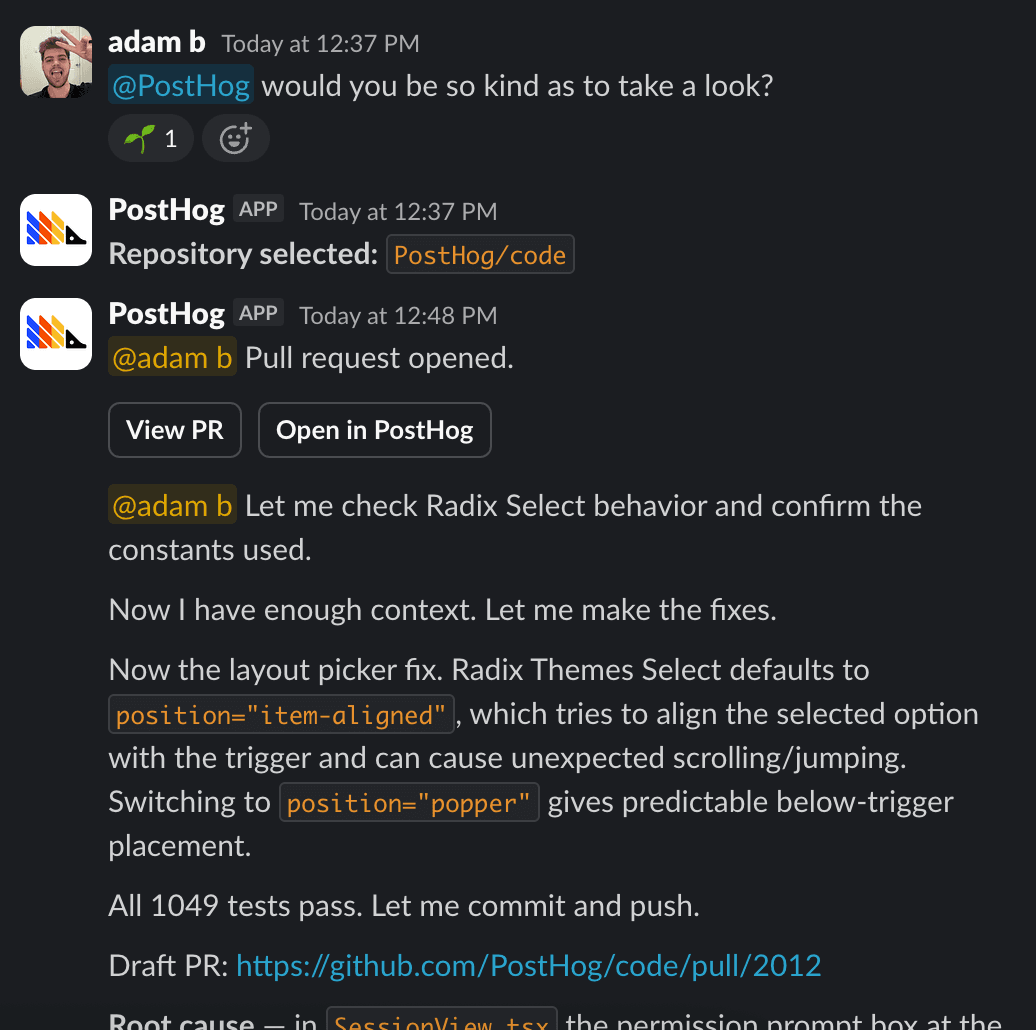
@PostHog is the PostHog AI coding agent, accessible from any Slack channel or thread. Mention the bot with a fix, an edit, or a feature idea, and it plans the work in a sandboxed environment, edits files, runs your checks, and opens a draft PR back into the thread. The same agent that powers PostHog Code on the desktop - just summoned from where your team already chats. See the PostHog Slack app overview for the full pitch.
Before you can mention the bot you'll need to connect the integrations - one Slack workspace connection per project, and a personal GitHub connection per teammate who wants to ship PRs.
Start a task
Mention the bot with what you want done:
Because PostHog Code has your PostHog project wired up, you can ask for things that mix code and product data - feature flags, experiments, events, and live metrics are all in the agent's context:
If you have a single repo connected, the task runs against it immediately. If you have several, the bot opens a repo picker in-thread - pick one and the task starts. The picker times out after 15 minutes; after that, re-mention the bot to try again.
While the agent is working, you can view its activity in PostHog, and once it's done it posts a final summary of its work to the thread.
Follow-ups in a thread
Reply in the thread to send a follow-up to the running agent. Anything you say while the run is active is forwarded as a new message in the same conversation, so you can steer mid-run ("actually, skip the test files") or answer a question the agent asked.
Once the agent finishes, you can reply to it by sending a new message in the thread with @PostHog - this continues the existing task.
Only the person that started a task can drive it. If other people add to a thread (a comment, a file, a link), the agent treats it as context to consider, not instructions to obey. If you want to take over, start a new thread and paste the existing messages in as context.
Emoji cues
The bot reacts to your @PostHog message as it works through your request, so you can scan a busy channel and see what's still in flight without opening every thread:
| Emoji | What it means |
|---|---|
🌱 :seedling: | Saw your mention and is spinning up a new task |
👀 :eyes: | Forwarding a follow-up to the running agent, or resuming a previous run |
🦔 :hedgehog: | The agent finished and posted its reply in the thread |
❌ :x: | Something went wrong |
Link unfurling
When you paste a PostHog insight or dashboard URL in a channel the bot is invited to, Slack shows a rich preview with the title, type, and description. Unfurling respects PostHog access permissions - only teammates with at least viewer access on the item will see the preview. See Slack link unfurling for details.
Related
- Setup - connect Slack and personal GitHub
- Commands - full command reference and limitations
- Pricing - how Slack app usage bills
- PostHog Slack app overview - the product page
- PostHog Code - the desktop app for longer-running, multi-repo agent work
- Slack integration in PostHog - subscriptions, link unfurl, generic Slack setup
- Slack as a Data Pipeline destination - send event-driven messages